

The prompt is a contract, not a mood board
Most Halloween prompts fail because they describe a vibe instead of assigning jobs. "Spooky witch in a forest" tells the model almost nothing about the face, the garment, the camera or the failures to avoid. A usable prompt answers six questions:
- What must stay? Face, skin tone, age, body proportions, number of people.
- What changes? Hair, clothing, makeup, accessories.
- Where is the subject? One scene, one time of day.
- How is it lit? Soft window light, cinematic rim light, a single hard flash.
- What is the photographic style? Editorial portrait, phone snapshot, film still.
- What must not appear? Altered identity, extra limbs, text, logos, watermarks.
That is the whole method. The prompts below are complete examples, not magic words.
Costume prompts
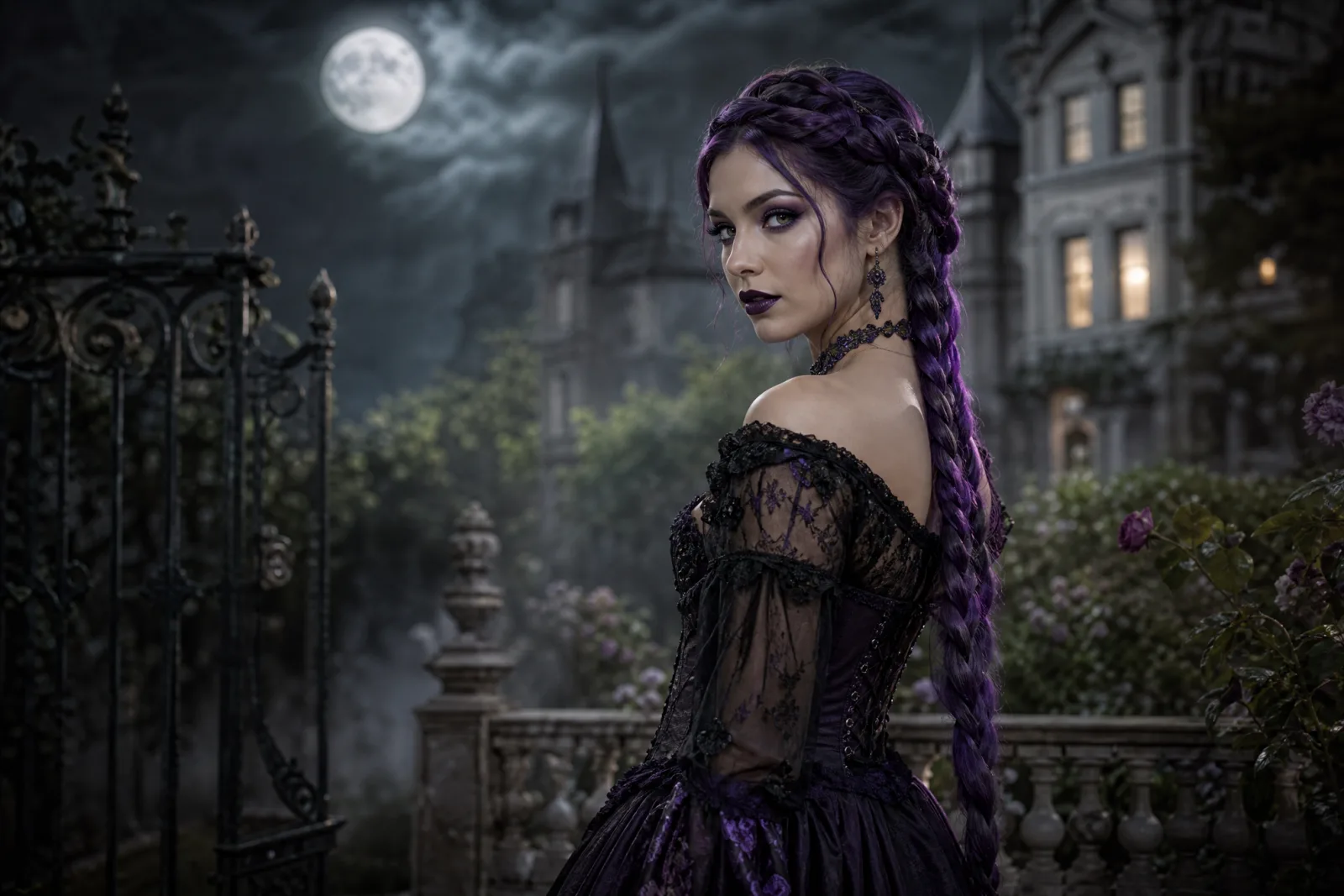
Midnight Braids
Use the uploaded photo as the primary reference. Preserve the subject's recognizable facial identity, facial proportions, skin tone, approximate age and natural anatomy. Transform the subject into an original gothic Halloween fashion portrait. Change the hairstyle into long violet braids decorated with delicate silver hair accessories. Replace the clothing with an elegant black-and-purple velvet outfit featuring subtle lace and metallic details. Place the subject in a moonlit Victorian garden with soft fog, glowing lanterns and dark autumn foliage. Use photorealistic editorial photography, realistic fabric textures, natural skin details and cinematic soft lighting. Keep the same number of people as the uploaded photo. Avoid altered facial identity, extra limbs, duplicated fingers, distorted anatomy, text, logos and watermarks.
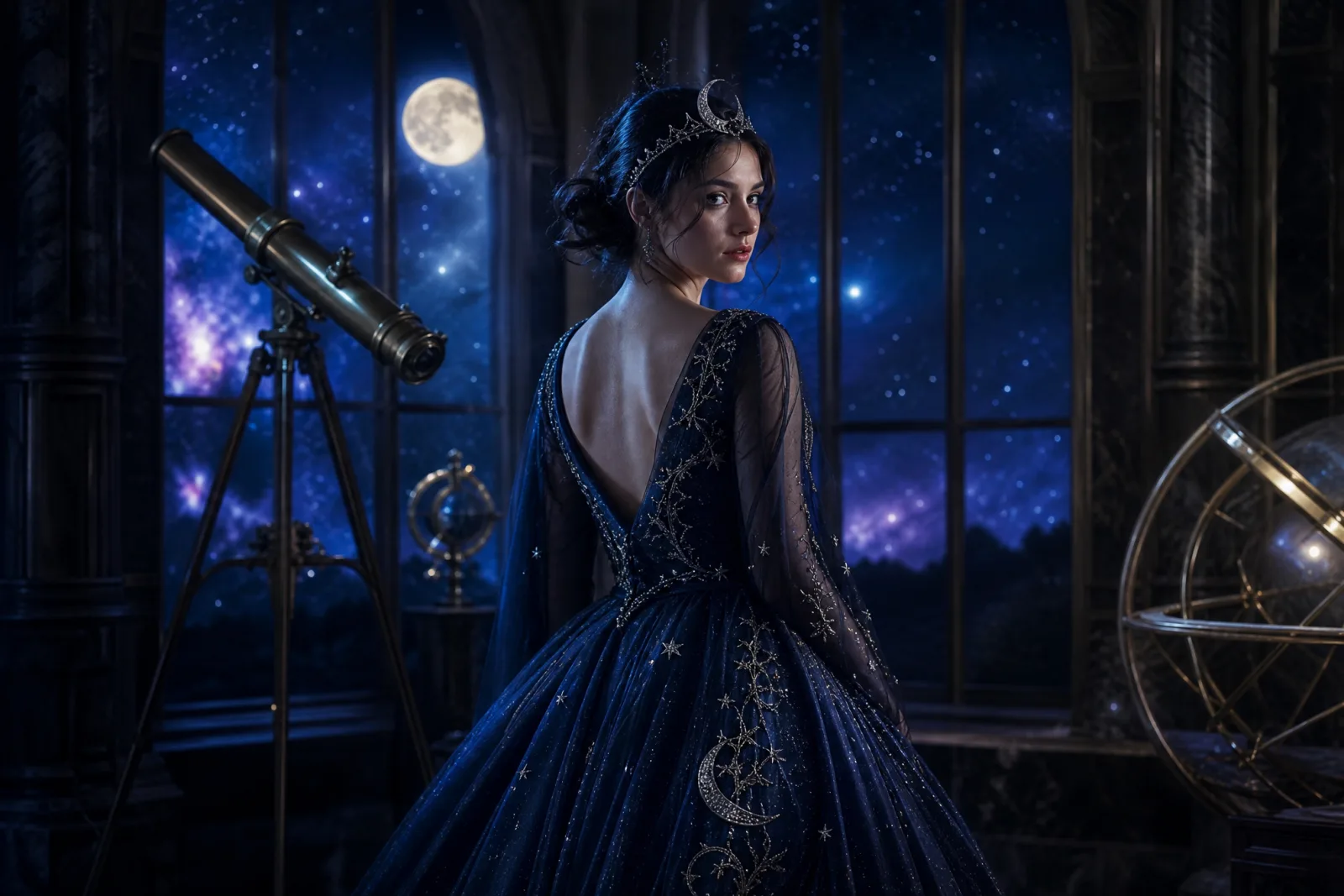
Cosmic Princess
Edit the uploaded photo into an original celestial Halloween princess portrait. Preserve the subject's recognizable face, natural skin texture, body proportions and pose. Replace the outfit with a midnight-blue fantasy gown featuring silver embroidery, softly glowing star patterns and realistic flowing fabric. Add a delicate silver moon crown and luminous accessories. Place the subject inside a moonlit observatory with a starry sky visible through tall windows. Use elegant fantasy fashion photography, realistic fabric details, cinematic rim lighting, and a deep-blue, silver and violet color palette. Keep the person recognizable and keep the same number of people. Avoid altered facial identity, extra people, distorted anatomy, text and watermarks.
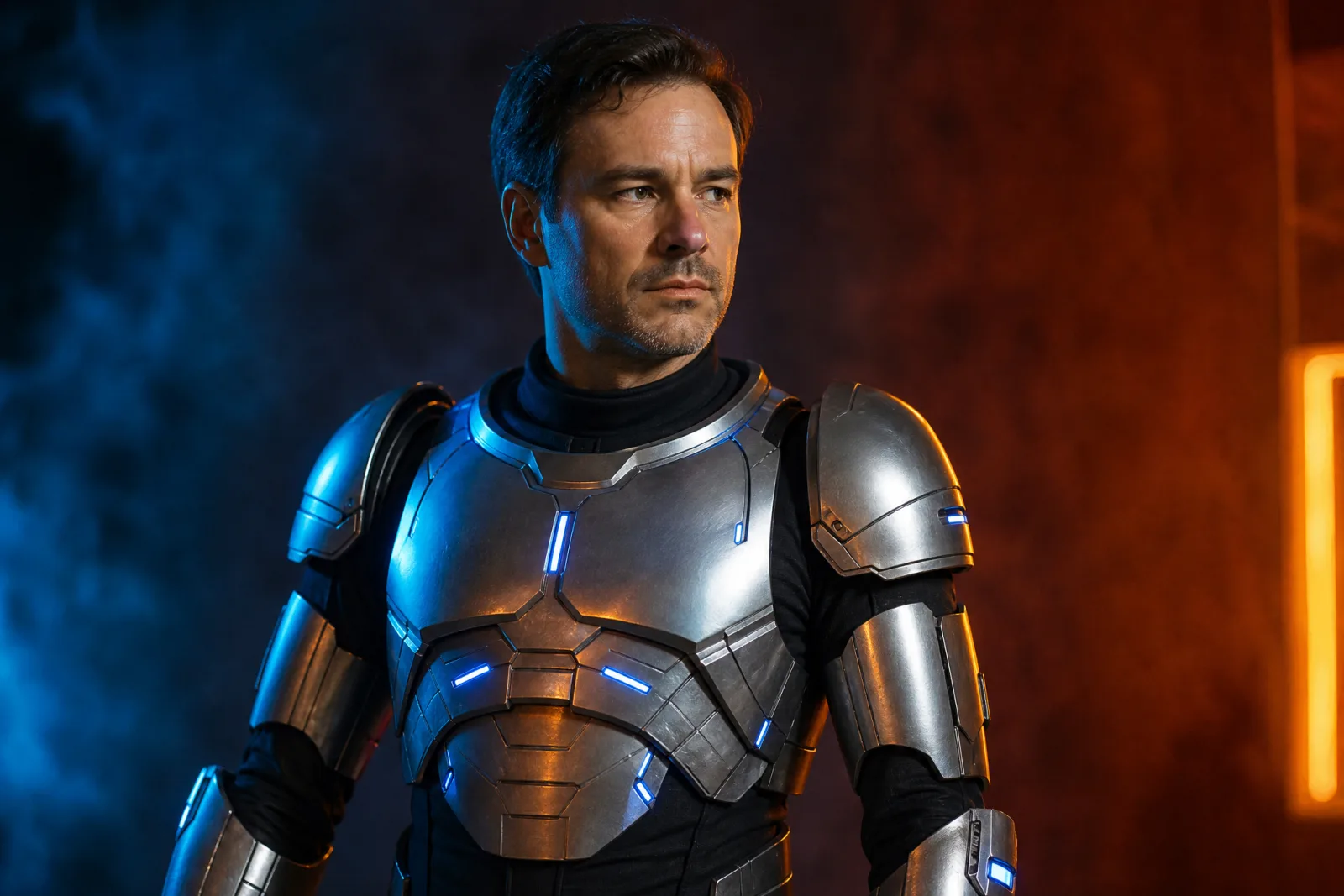
Wearable Robot
Using the uploaded photo as reference, transform the subject into a futuristic Halloween robot costume portrait. Preserve the subject's recognizable face, skin tone, head proportions and original pose. Create a realistic wearable robot costume featuring metallic-looking armor panels, subtle blue LED accents and articulated shoulder pieces. The outfit should look like a believable costume worn by a real person, not a completely new mechanical character. Use dramatic blue-and-orange cinematic studio lighting and realistic material reflections. Do not replace the subject's face with a robot head. Keep the same number of people. Avoid extra limbs, distorted hands, duplicated body parts, logos and text.
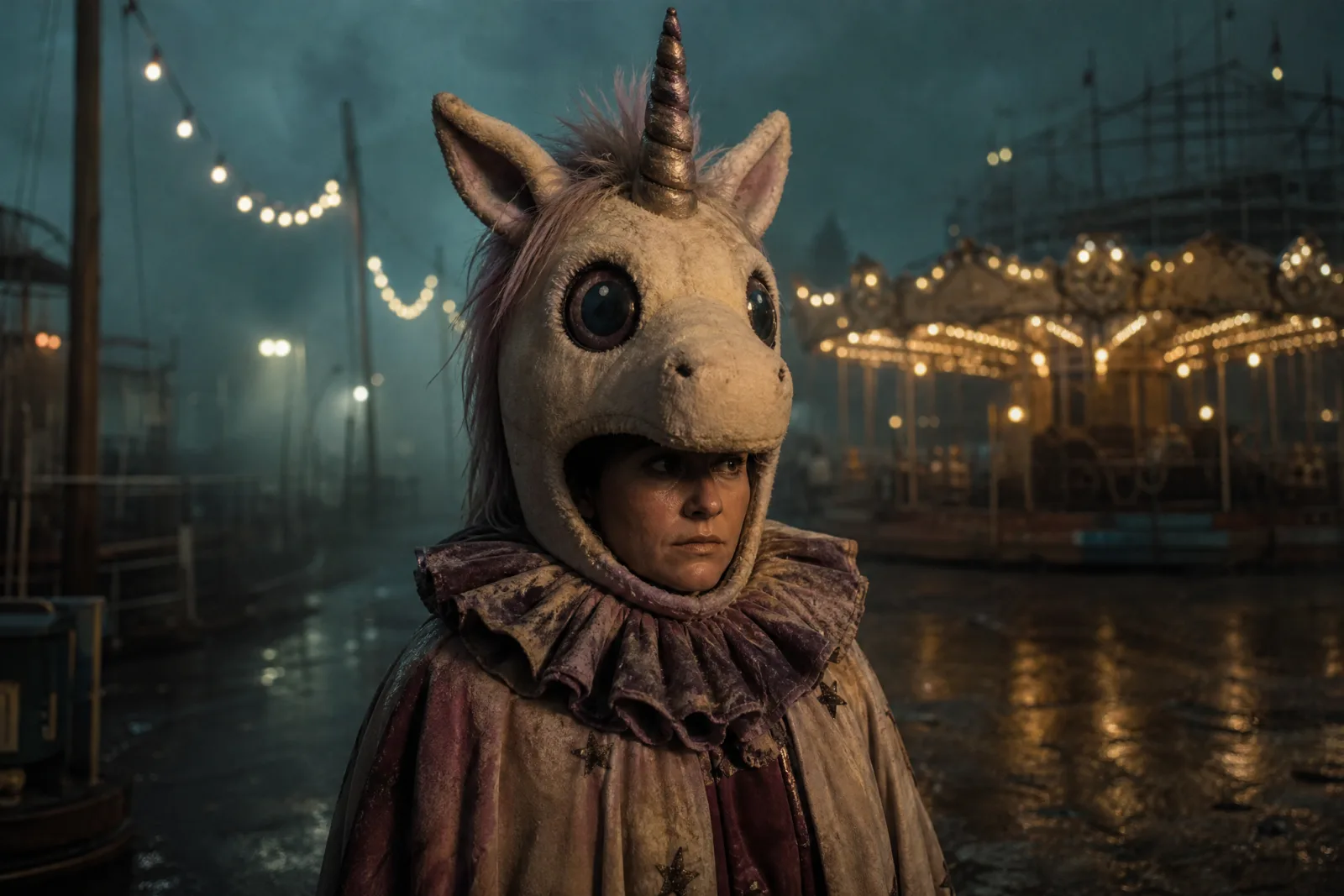
Haunted Unicorn
Use the uploaded photo as the primary reference. Preserve the subject's recognizable human face, skin tone, age and natural body proportions. Create an original haunted unicorn mascot costume: a soft ivory plush headpiece with a single spiraled horn, slightly too-large glass eyes, a tattered velvet collar and a faded carnival cape. The costume should look handmade and unsettling, not like a copy of any existing film character. Keep the human face visible inside the costume opening. Place the subject in a foggy abandoned carnival at night with weak string lights, wet asphalt and a distant carousel. Use photorealistic editorial photography, realistic plush and fabric texture, cinematic teal-and-amber lighting. Avoid exact film-character likeness, text, logos and watermarks.
These four cover different risk levels. Midnight Braids is fabric-heavy and forgiving. Cosmic Princess asks for glowing detail, which gives the model more to render and more to get wrong. Wearable Robot must add armor without replacing the head. Haunted Unicorn is an original mascot interpretation, not a copy of any film character; that distinction matters for both quality and rights.
Makeup prompts
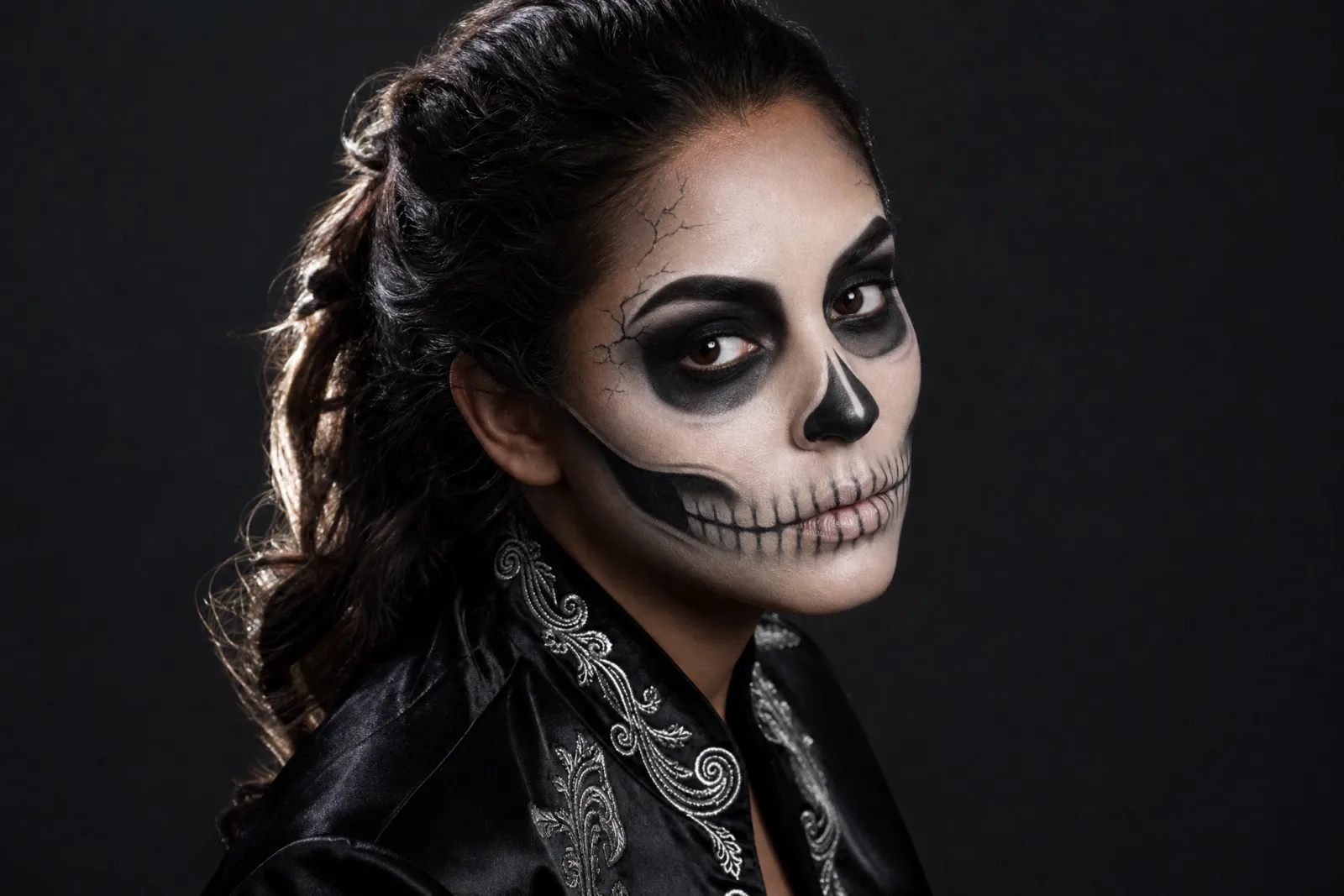
Skeleton Glam
Use the uploaded photo as the primary reference. Preserve the subject's face shape, skin tone, eye color, age, expression and natural anatomy. Apply a polished skeleton makeup look: an ivory base, charcoal shading around the eyes, a delicate painted jawline and subtle cracks at the temples. Keep the makeup graphic but wearable; do not replace the face with a skull or remove facial features. Dress the subject in a black satin jacket with restrained silver embroidery. Place them against a deep charcoal studio backdrop with one soft rim light. Use photorealistic beauty photography, visible skin texture and crisp makeup detail. Keep the same number of people. Avoid extra teeth, distorted anatomy, text, logos and watermarks.
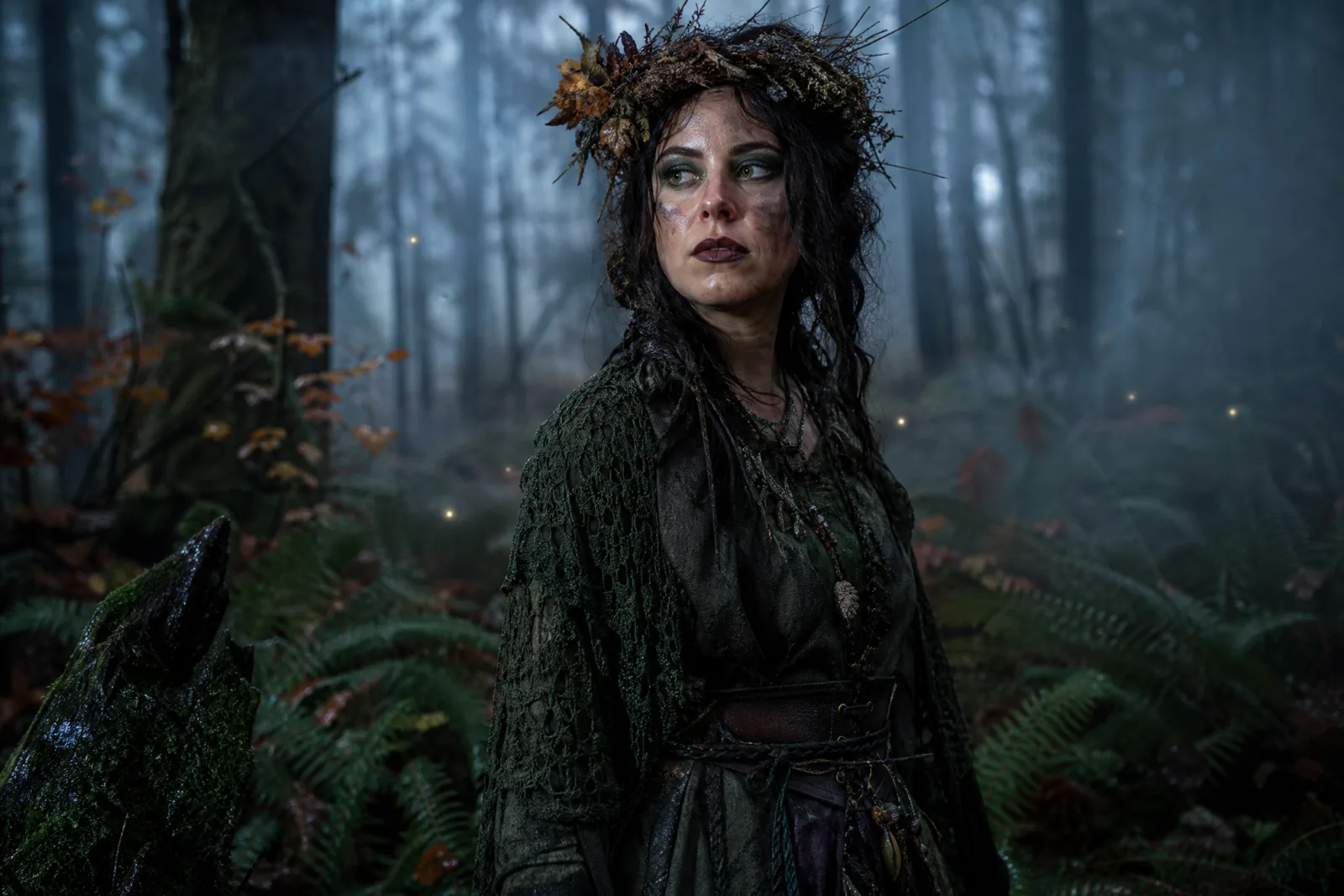
Forest Witch
Use the uploaded photo as the primary reference. Preserve the subject's recognizable face, skin tone, age, body proportions and pose. Transform the subject into an original forest witch. Replace the clothing with layered moss-green and charcoal fabrics, hand-stitched lace, a weathered leather belt and a crown woven from twigs and dried leaves. Keep the makeup grounded: damp skin, deep green eyeshadow, berry-stained lips and a faint smear of soot. Place the subject in a damp autumn forest at blue hour with drifting mist, wet ferns and a few distant fireflies. Use photorealistic editorial photography, natural skin texture and soft directional light. Keep the same number of people. Avoid altered facial identity, extra limbs, distorted hands, text, logos and watermarks.
Makeup prompts work best when they protect the face explicitly. Say "do not replace the face with a skull" for skeleton makeup, and "keep the skin texture visible" for any beauty look. Without those sentences, the model may turn the makeup into a mask.
Pet prompts
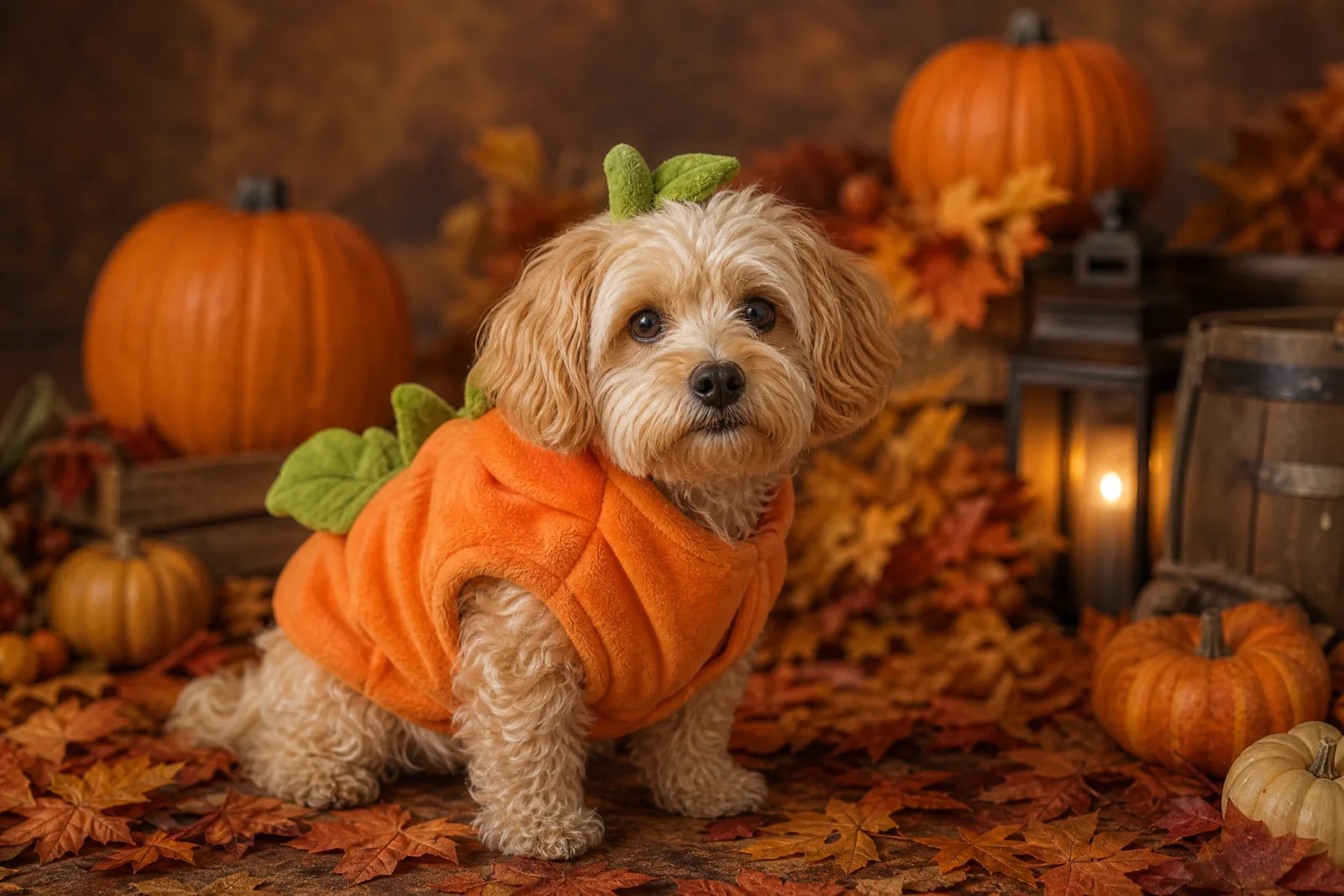
Pumpkin Pet
Use the uploaded pet photo as the primary reference. Preserve the animal's original breed, fur color, distinctive markings, eye color, facial appearance and natural anatomy. Dress the pet in a soft pumpkin-inspired Halloween costume with a small green leaf accessory. Keep the costume fitted naturally without covering the animal's eyes or changing its species. Place the pet in a cozy autumn photography studio with warm lighting and miniature pumpkins. Create a photorealistic professional pet portrait with realistic fur texture and natural shadows. Keep exactly the same animals as the uploaded photo. Avoid extra animals, unnatural paws, duplicated limbs, text and watermarks.
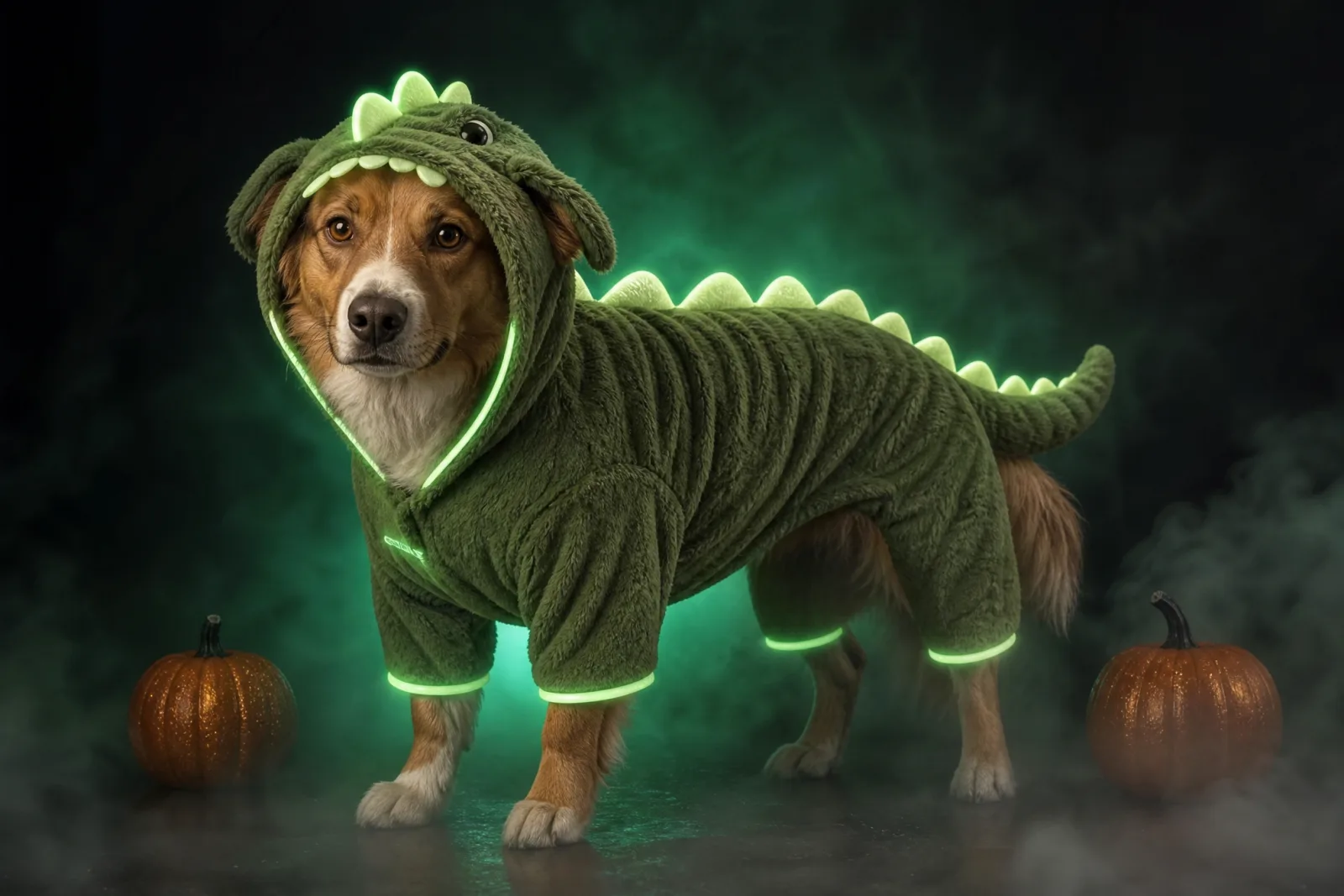
Glow Dinosaur
Use the uploaded pet photo as the primary reference. Preserve the animal's breed, fur color, markings, eye color, face and natural body proportions. Dress the pet in a plush glow-in-the-dark dinosaur costume with soft green spikes, a small hood and a gentle luminous trim. The costume must fit like a comfortable pet outfit and must not cover the eyes or change the animal into a dinosaur. Place the pet in a dark studio with a soft green glow, a subtle fog layer and two small pumpkins. Use photorealistic pet photography, realistic fur and fabric texture. Keep exactly the same animals as the uploaded photo. Avoid extra animals, duplicated paws, glowing eyes, text and watermarks.
Pet prompts need three extra protections: keep the breed, keep the markings, and do not cover the eyes. The costume should fit like a costume, not replace the animal. If the result has extra paws or a changed species, the prompt is usually too vague about the animal.
Couple prompts
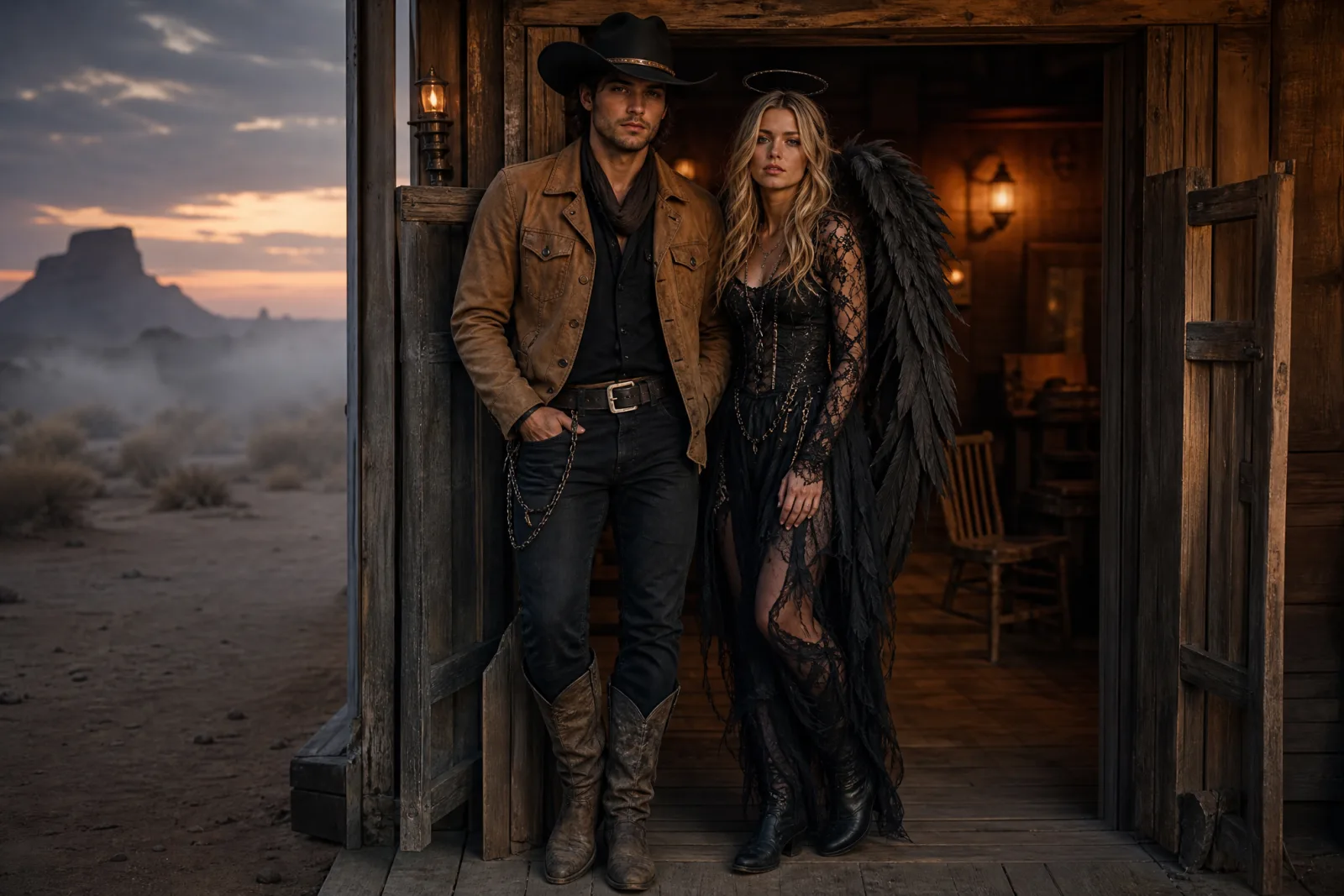
Cowboy & Angel
Use the uploaded reference image, which contains two people, as the primary reference. Preserve both people's recognizable faces, skin tones, hair colors, approximate ages and body proportions. Keep exactly two people; do not swap faces or add a third person. Dress one person as a modern cowboy in a sand-colored suede jacket, a dark hat and worn boots. Dress the other as a dark angel in a black lace outfit with weathered feathered wings and a thin silver halo. Coordinate the palette around warm sand, black and antique gold. Place the pair in the doorway of a foggy desert saloon at dusk, with warm interior light behind them. Use photorealistic editorial couple photography, natural expressions and realistic fabric. Avoid distorted hands, extra limbs, duplicated faces, text, logos and watermarks.
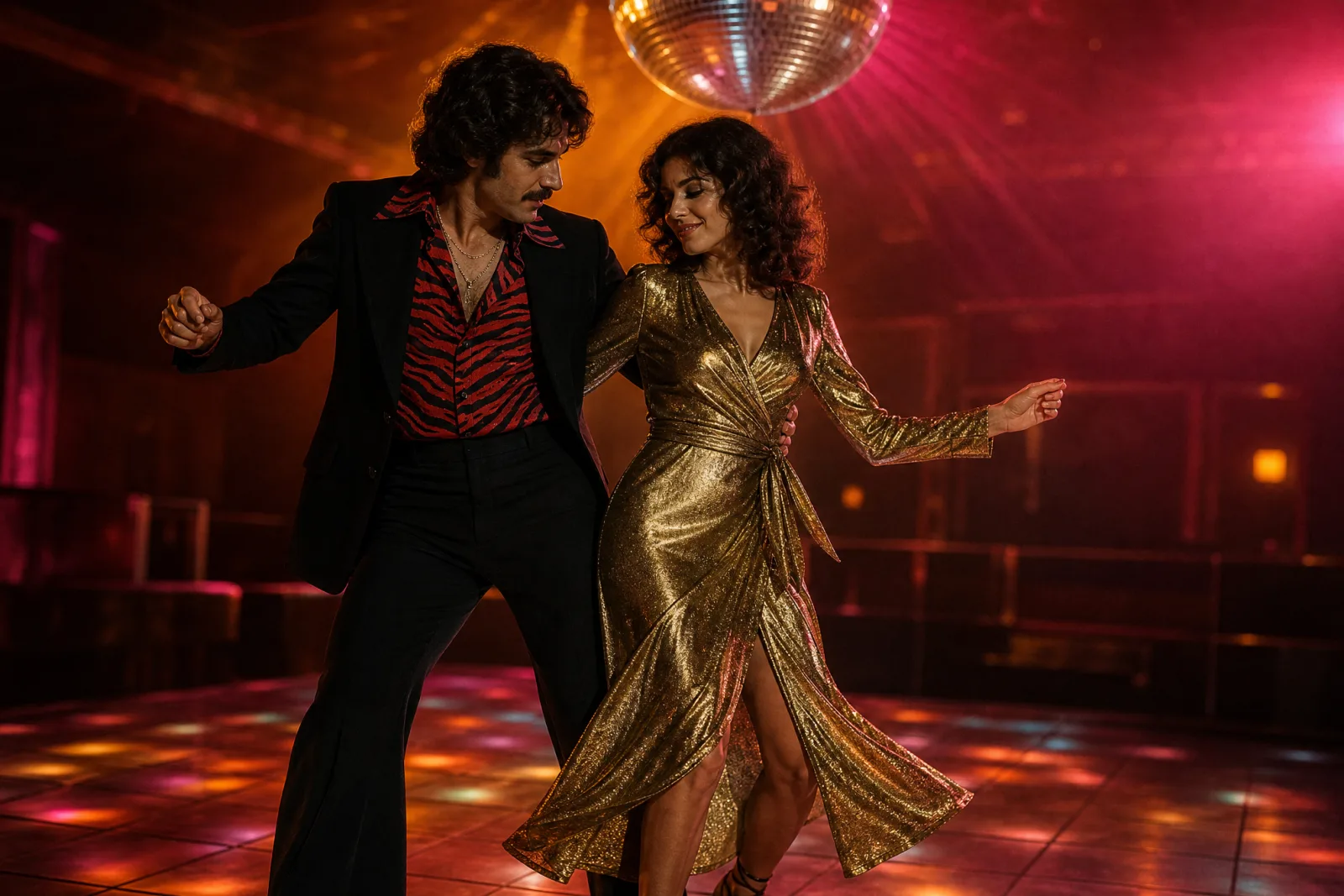
Retro Disco Duo
Use the uploaded reference image, which contains two people, as the primary reference. Preserve both people's recognizable faces, skin tones, hair colors, ages and body proportions. Keep exactly two people and do not swap faces. Create an original 1970s disco couple look: one person in a black flared suit with a red zebra-print shirt, the other in a metallic gold wrap dress with stacked bangles. Keep the outfits wearable and era-inspired rather than costume-shop shiny. Place them on a warm dance floor with a mirror ball, soft haze and amber and magenta stage lights. Use photorealistic editorial photography, natural skin texture and believable fabric. Avoid extra people, distorted hands, duplicated limbs, text, logos and watermarks.
The current image editor takes one reference image per run. For a couple, build a single side-by-side reference with both faces at a similar scale, then use the two-person prompt. Keep "exactly two people" and "do not swap faces" in the prompt; those are the two failure modes that matter most.
Video prompts
Midnight Braids — Animate
Use the provided image as the exact visual reference and starting composition. Create a continuous five-second cinematic Halloween portrait animation. Keep the subject’s recognizable face, costume, hairstyle and body proportions consistent with the reference. The subject slowly turns their head toward the camera with a subtle mysterious expression. A gentle breeze moves loose hair strands and the edges of the clothing. Soft fog drifts through the moonlit garden. The camera performs a slow and smooth push-in. Maintain realistic motion, stable anatomy and consistent lighting. Do not change the person’s identity, replace the costume, add characters or introduce sudden scene cuts. No text or watermarks.
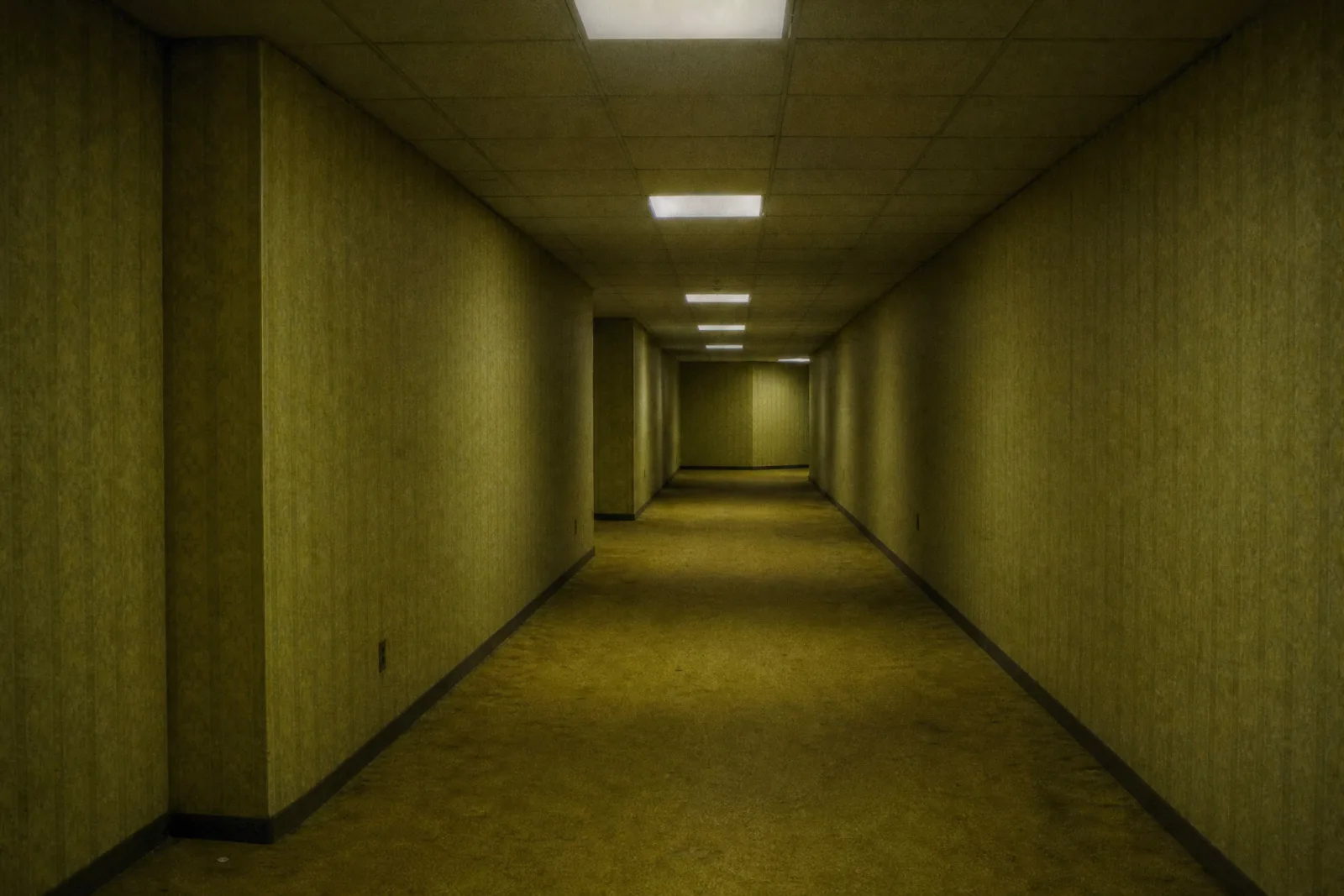
Backrooms Drift
Use the provided image as the exact starting frame. Create a continuous five-second liminal horror shot with no cuts. The camera moves forward at walking pace along the center of the corridor. One ceiling fluorescent panel flickers twice, then steadies. A thin layer of fog drifts across the carpet. The wallpaper and carpet textures stay consistent. Keep the geometry stable: no warping walls, no changing doorway positions, no new objects appearing. Do not add people, monsters, faces, blood or text. The mood is quiet and uneasy, not a jump scare. No watermarks.
Pumpkin Pet — Animate
Use the provided pet portrait as the exact starting frame. Create a continuous five-second clip. The pet makes a small head tilt toward the camera, one ear twitches, and the tail wags twice. The pumpkin costume stays fitted and does not change shape. Keep the animal’s breed, fur markings, eye color and face consistent with the reference. The camera stays mostly still with a very slow push-in. Maintain stable anatomy and realistic fur motion. Do not add another animal, change the species, distort the paws or introduce text and watermarks.
Video prompts are shorter than image prompts because the image already carries the costume and the scene. Describe only what moves, what the camera does, and what must stay consistent. One subject movement, one environmental movement, one camera movement. That is enough for five seconds.
Adapting a prompt to another model
The full prompts are written for an image-editing model that accepts natural language and a negative list. Other tools need a translation:
- Gemini / Nano Banana: keep the full sentences. Gemini follows preservation instructions well. If the tool has a separate reference-image slot, use it and keep the identity sentence anyway.
- ChatGPT image models: keep the full sentences, but move the most important instruction to the first line. Long prompts are truncated or diluted more often than short ones.
- Midjourney: compress to comma-separated tags. Drop the "avoid" list unless you are using a negative-prompt parameter. Put the subject first, then wardrobe, scene, light and style.
- Models without negative prompts: keep the avoid list as a final "no text, no watermark, no extra limbs" sentence. It is weaker than a true negative prompt but still helps.
The AI Halloween costume generator runs the full prompts on your own photo. The Halloween photo editor is better when you want to change only one part of an existing image.
Testing a prompt without wasting credits
- Run one image at the lowest reasonable resolution or the cheapest lane.
- Check the face first. If the identity drifts, fix the preservation sentence before anything else.
- Check the hands and the costume edges second.
- Change one sentence per run. If you change the scene and the lighting together, you cannot tell which one helped.
- Save the prompt that worked. A good prompt is a reusable asset, not a one-off.
For a deeper walkthrough of the costume workflow, read the costume generator guide. For motion, read the Halloween video generator guide. For the trend list behind these looks, see Halloween costume ideas. For the full collection, open the Halloween hub.