

Couple images fail in a different way
A single portrait fails when the face drifts. A couple portrait fails when the model mixes up the two faces, duplicates a person, or adds a third. The costume is rarely the problem. The identity assignment is.
The editor takes one reference image per run. That is a constraint, not a dealbreaker. Build one side-by-side reference image with both people at a similar scale and in similar light, then write a prompt that assigns each person a position and a costume. The model can handle two people; it needs to be told which person is which.
Build the reference image first
- Choose two photos where both faces are clear and front-facing.
- Put them side by side in a photo app. Keep the heads roughly the same size.
- Match the lighting as well as you can. A daylight photo next to a warm indoor photo makes the relight harder.
- Crop out other people, pets and distracting backgrounds.
- Export at a reasonable resolution. A compressed screenshot loses the skin texture the model needs.
If you already have a photo of the two of you together, use that instead. A real photo with both faces at the same scale is better than a collage, because the model gets the relative height and spacing for free.
Two tested couple looks
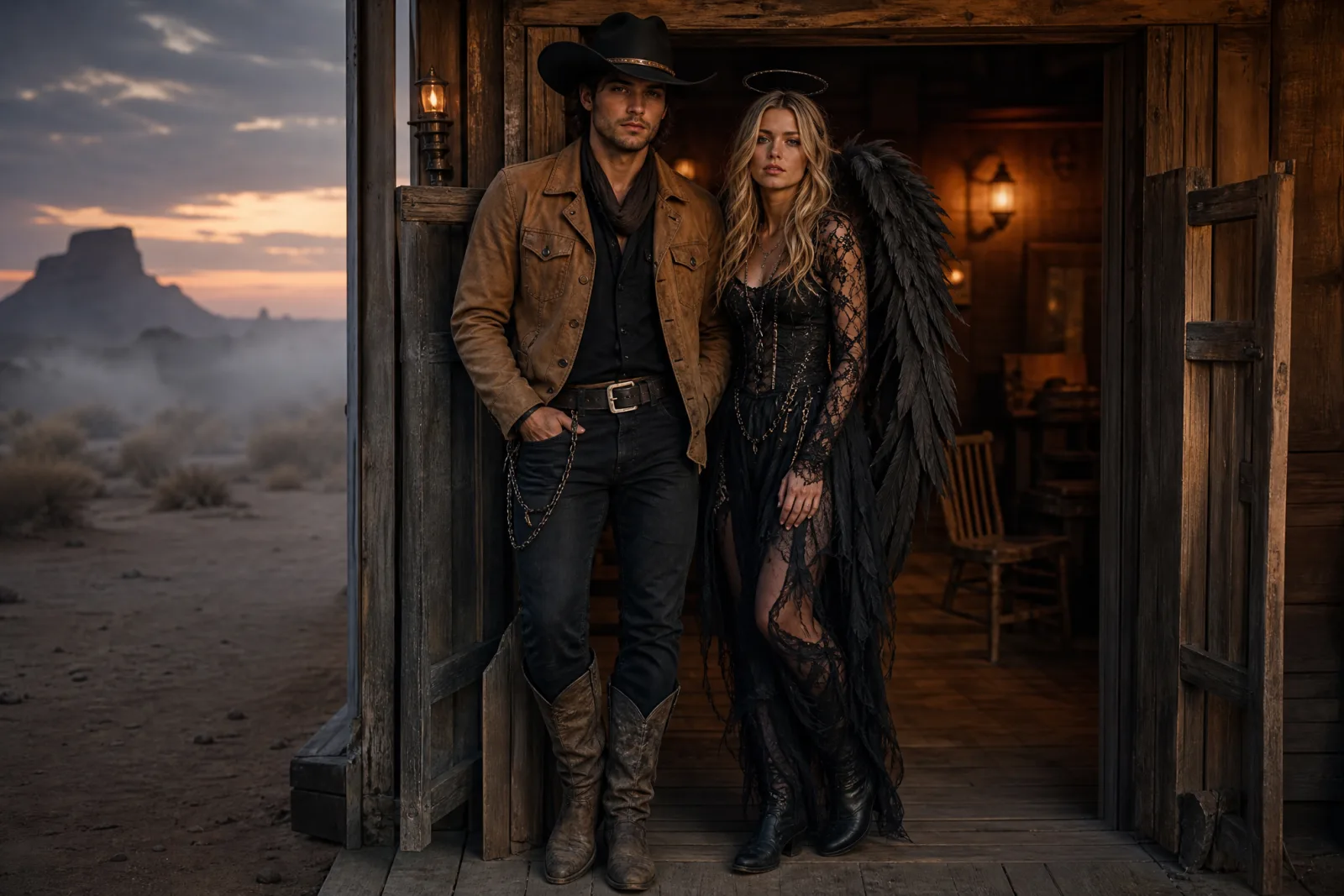
Cowboy & Angel
A coordinated couple look with both faces preserved.
Try this look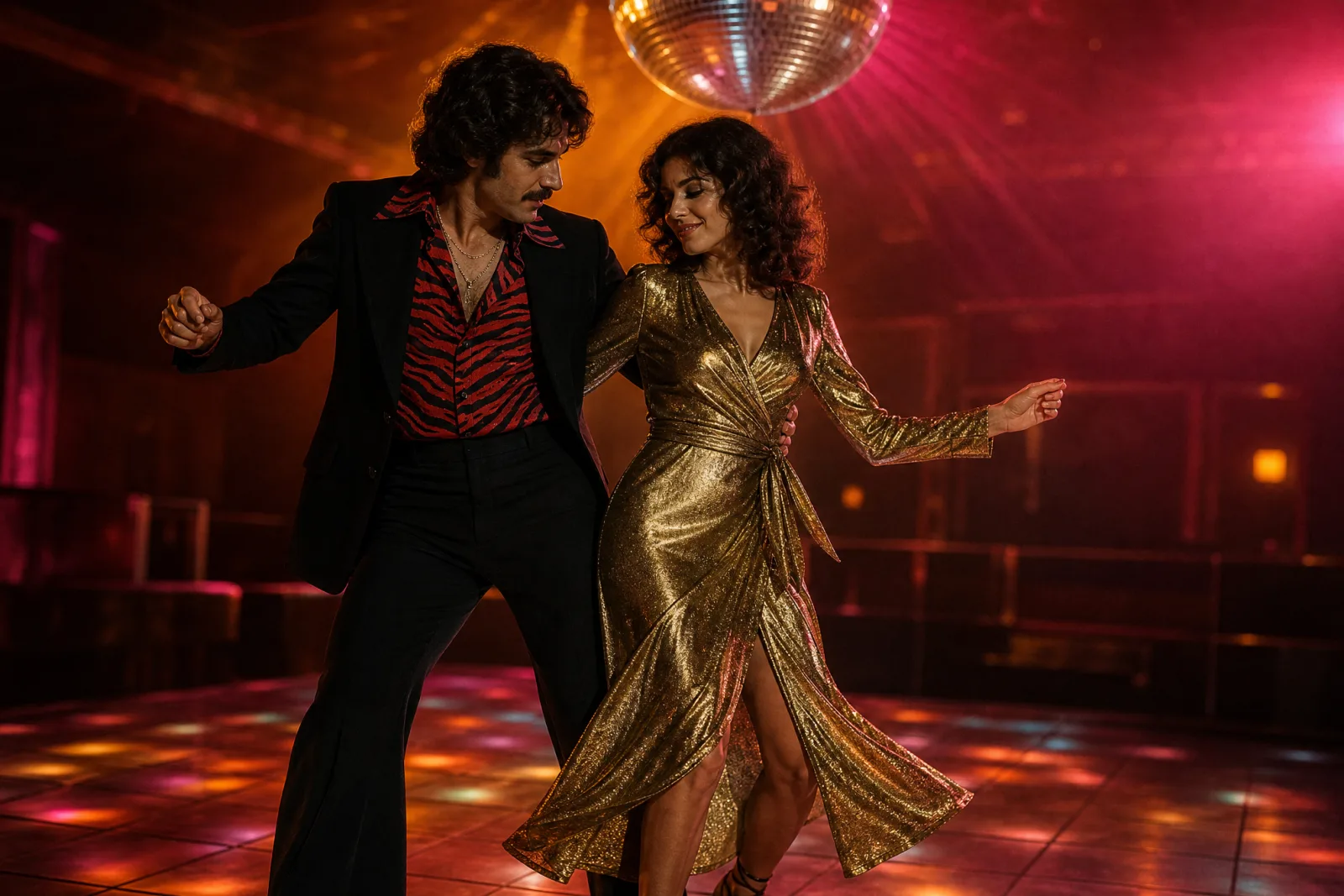
Retro Disco Duo
A 1970s dance-floor couple with coordinated shine.
Try this lookCowboy & Angel is a coordinated contrast: a sand-colored suede cowboy look next to a black lace angel with weathered wings. The palette does the coordinating work, so the two costumes read as one idea without being identical. Retro Disco Duo is a period look: a black flared suit with a red zebra-print shirt next to a metallic gold wrap dress. It is the harder of the two because the model has to render shine, print and a dance-floor light at the same time.
The prompt structure for two people
A reliable couple prompt has five parts:
- Reference statement. "Use the uploaded reference image, which contains two people."
- Identity protection. "Preserve both people’s faces, skin tones, hair colors, approximate ages and body proportions."
- Assignment. "The person on the left wears… The person on the right wears…"
- Coordination. Name the shared palette, the shared scene and the shared light.
- Failure list. "Exactly two people, do not swap faces, no additional people, no distorted hands, no text, no watermarks."
The assignment sentence is the part most people skip. Without it, the model decides which costume goes on which person, and it may decide differently on the next run.
What to check
Face assignment. Zoom in on each face and compare it to the reference. If the faces are swapped, make the position language more explicit.
Number of people. Count heads, hands and reflections. A mirror or a shop window can produce a third figure.
Relative height. The model may equalize heights or change the body proportions to fit the composition. If that matters, say "preserve the relative heights" in the prompt.
Hands. Couple photos often include held hands, an arm around a shoulder or a prop. These are the most common artifacts. Simplify the pose if the hands keep failing.
Costume coordination. The two outfits should look like they belong to the same scene. If one is lit by warm interior light and the other by cold moonlight, the image reads as a collage.
Matching without matching exactly
The strongest couple costumes share a palette, a decade or a story rather than an identical garment. Cowboy and angel works because both are archetypes from the same visual world. Disco works because both outfits belong to the same era and the same dance floor. If you write your own prompt, pick a shared constraint first: a color, a decade, a film genre or a location. Then let each person’s costume answer that constraint differently.
Cost and iteration
One image run costs 8 credits. The 100-credit pack is $9.90, which covers about twelve runs. Couple images usually need three to five runs because there are two identities to protect. Change one variable at a time: first the face assignment, then the costumes, then the scene.
The pricing page lists every lane. If you are making a group set, generate the couple first, then reuse the palette and the scene language for the other portraits so the set looks consistent.
From portrait to clip
The AI Halloween video generator can animate the finished couple portrait, but two faces are harder to keep stable than one. Use a very small motion: one person turns their head slightly, the camera pushes in, the background fog drifts. Keep the clip to five seconds and avoid cuts. If the faces warp, lock the camera and reduce the motion to a single head turn.
For the full prompt text, see Halloween AI prompts. For the single-person workflow, see the AI Halloween costume generator. For pet, makeup and robot looks, open the Halloween hub.