

Makeup is the hardest edit to fake
Costume edits change the silhouette. Makeup edits change the face. That is why a bad makeup generation is more noticeable than a bad costume generation: the viewer looks at the eyes, the jawline and the skin, and small errors read immediately.
The two presets here are designed around that risk. They protect the face shape, the skin texture and the eye color first, then apply the makeup. They also avoid the two extreme failures: a flat mask instead of makeup, and a completely different face.
Two tested looks
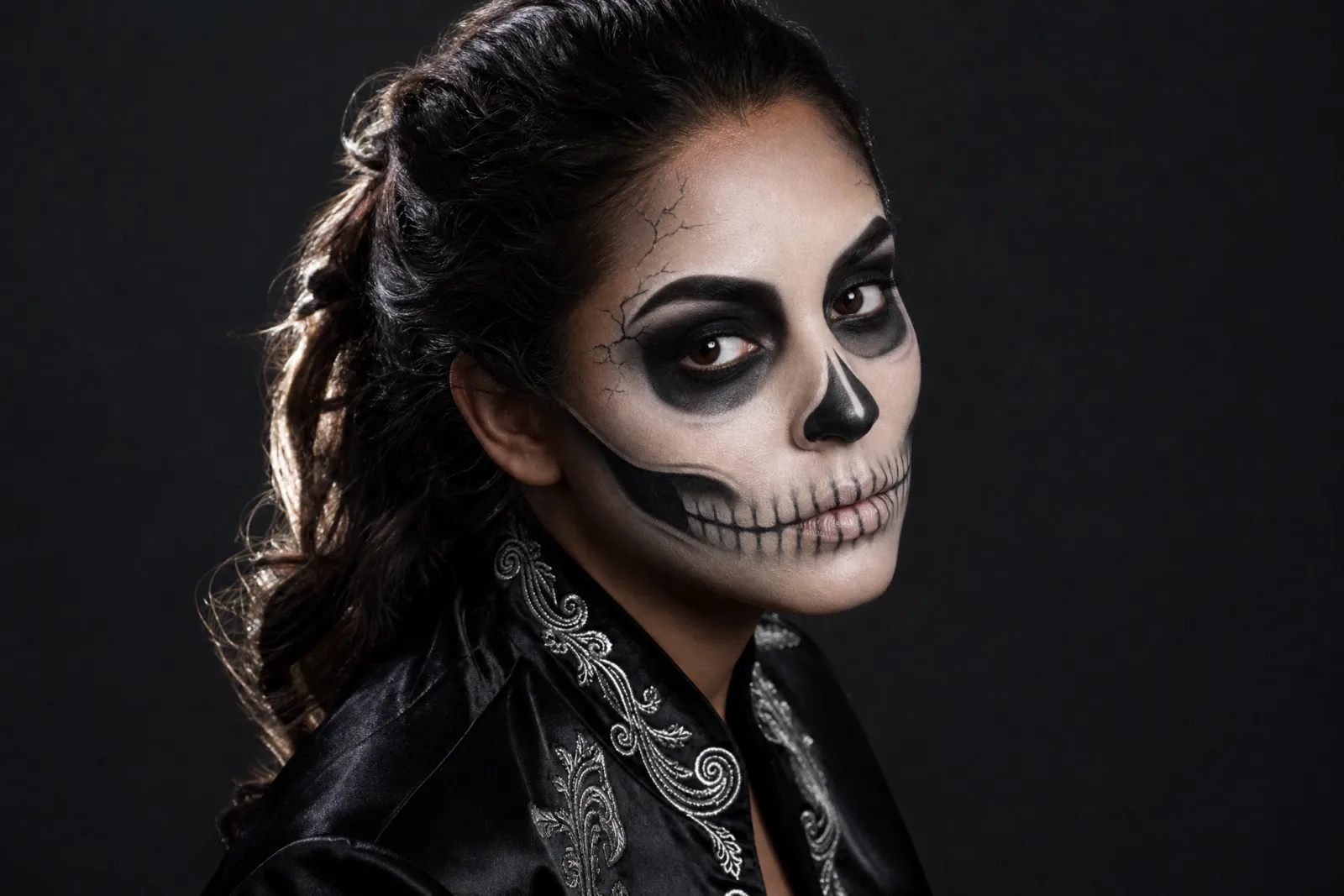
Skeleton Glam
Graphic skeleton makeup that still reads as a human face.
Try this look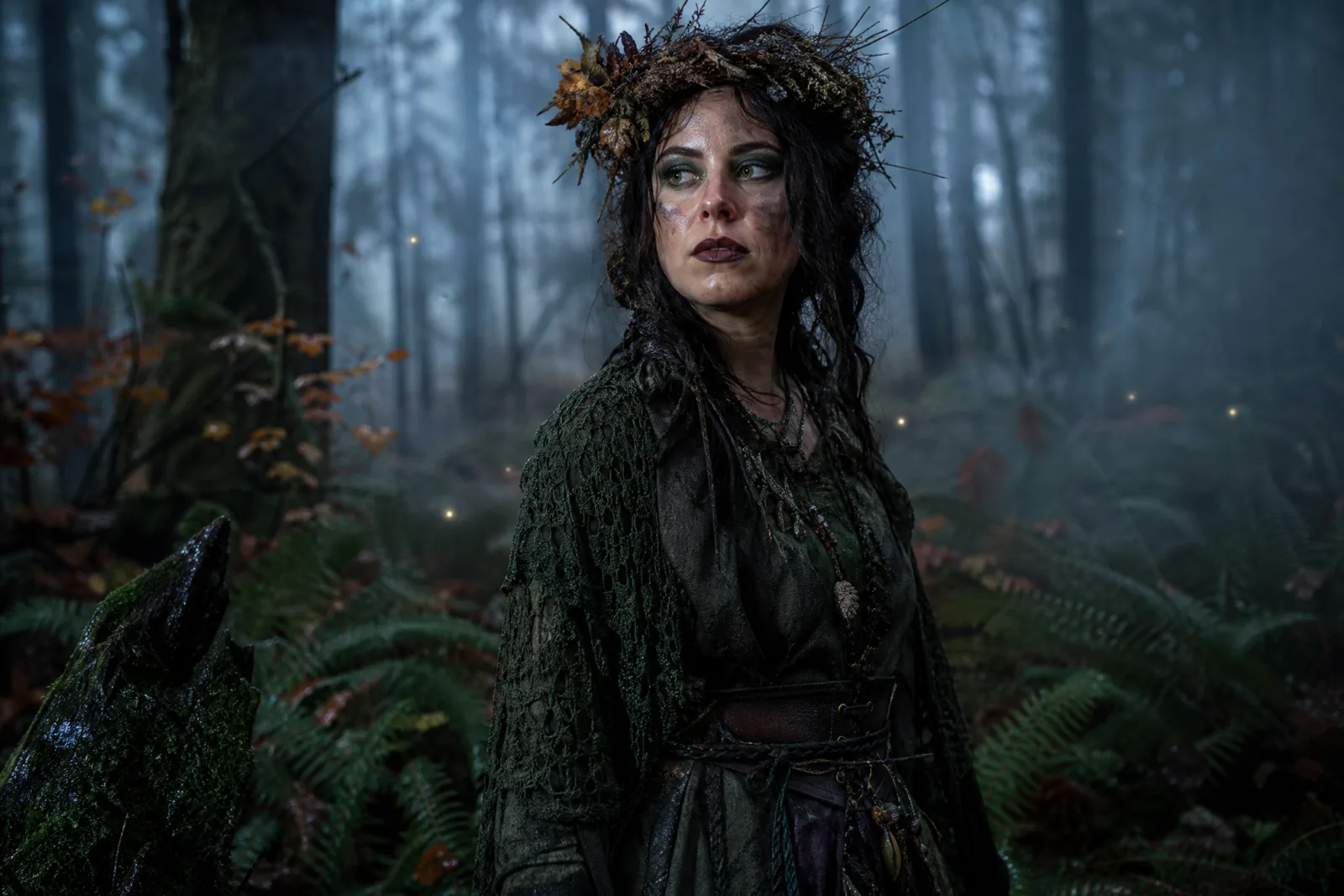
Forest Witch
Moss-green layers, twig crown and a damp autumn forest.
Try this lookSkeleton Glam is graphic but wearable: an ivory base, charcoal shading around the eyes, a painted jawline and fine cracks at the temples. The prompt explicitly says the face must remain human. Forest Witch is softer: damp skin, deep green eyeshadow, berry-stained lips and a faint soot smear. It is the better first run if you want a look you could plausibly recreate at home.
The makeup prompt, part by part
A makeup prompt should name five things:
- The base. Ivory, warm beige, a sheer tint. Avoid "flawless" unless you also ask for visible texture.
- The eyes. Color, shape and intensity. "Charcoal shading around the eyes" is more useful than "smoky eyes".
- The lips. Color and finish. Matte, glossy, stained.
- One graphic detail. A painted jawline, a crack, a star, a scar. One detail is enough; three turn into noise.
- The protection. Face shape, eye color, skin texture, hair, clothing, background.
The order matters: put the protection first. If the prompt starts with "skeleton makeup", the model may build a skull and then try to fit your face into it.
What AI makeup cannot tell you
- Whether a product exists. The image may show a pigment, a glitter or a texture that is not sold.
- How it wears. Longevity, transfer and comfort are real-world properties.
- How it looks in motion. A still can hide cracking, flaking or a heavy feel. The video step helps, but it is still a generated preview.
- Whether it suits your skin. The model can smooth texture and change the apparent undertone. Check the result against a mirror, not just the screen.
Use the image as a mood board. If you are doing the makeup yourself, take the image to a makeup counter or use it to choose a palette. If a professional is doing it, the image is a useful reference for placement and intensity.
The photo to upload
- Bare face or light makeup. The model has less to remove.
- Even light. A window or open shade. A single hard lamp creates shadows that the model may interpret as makeup.
- Front-facing. A three-quarter angle is fine; a profile hides half the look.
- Hair away from the face. Loose strands can merge with the makeup.
- No filters. A beauty filter removes the skin texture the prompt is trying to preserve.
Common failures and fixes
The face becomes a mask. Add "keep the eyes, nose and lips visible" and "the makeup is painted on skin, not a mask". Reduce the amount of black around the eyes.
The skin becomes plastic. Add "visible skin texture", "natural pores" and "realistic makeup finish". Remove "flawless" and "airbrushed".
The makeup spreads to the clothes. Add "keep the clothing and background unchanged". A plain background reduces the chance of a full scene rebuild.
The look is too clean. Add one imperfection: a smudged edge, a faint crack, a little fallout under the eye. Imperfections make the makeup read as real.
The eye color changes. Add "preserve the natural eye color". Colored contacts can be a deliberate choice, but they should be explicit.
From makeup test to costume
Once the makeup works, the AI Halloween costume generator can add the outfit. Keep the makeup sentence and replace the wardrobe sentence. If you want to change only one part of an existing photo, use the Halloween photo editor.
The AI Halloween video generator can add a blink or a slow head turn. Keep the motion small; makeup details are fragile in motion, and a big turn gives the model more chances to drift. A five-second clip with one movement is the safest result.
Cost and iteration
One image run costs 8 credits on the default lane. The 100-credit pack is $9.90, which covers about twelve runs. Makeup edits often land in two or three runs because the face is the focus. The pricing page lists every lane, and the workbench shows the exact cost before you submit.
For the full costume, pet and couple collection, open the Halloween hub.